
New · RPoint GIS
See every TP, DP and village map on the live map
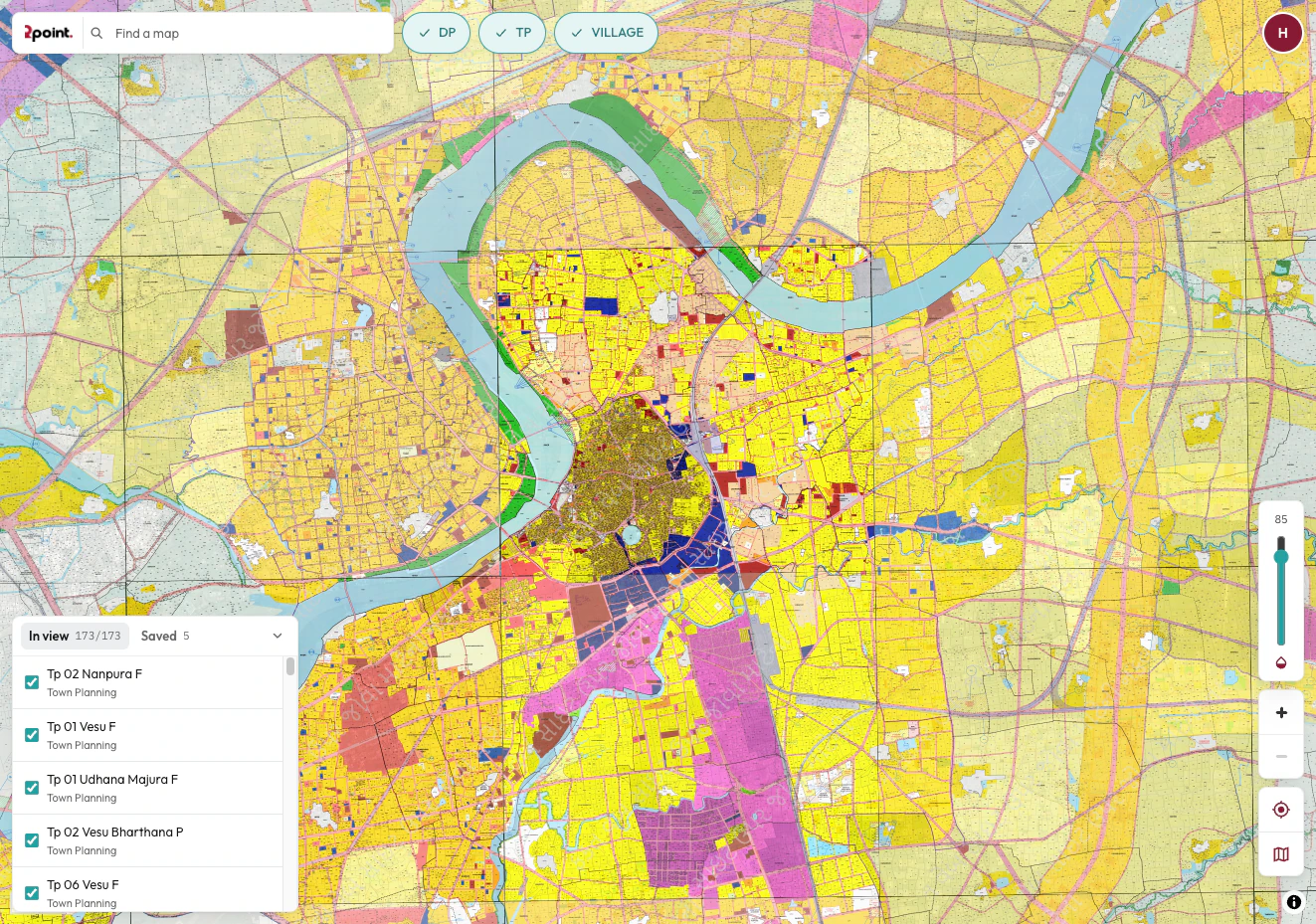
Georeferenced planning sheets laid over satellite and street maps. Find a scheme, fade it over the ground and see exactly where a plot falls, on your computer or in the RPoint app.
- Free trial, no card needed
- Same RPoint login
- Web and mobile
 Imagery © Esri, Maxar, Earthstar Geographics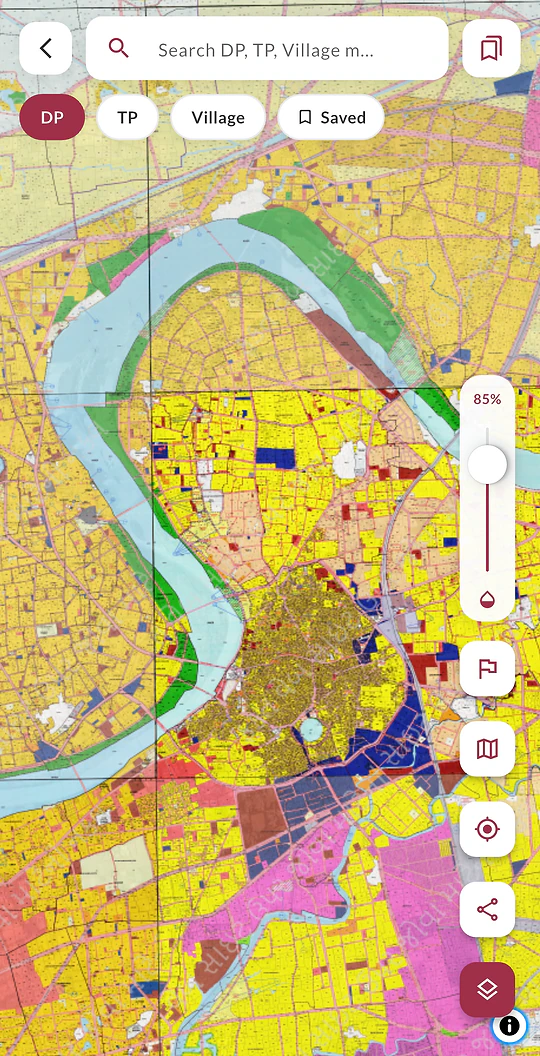
Map types
- TP
Town Planning schemes
Final plot layouts, scheme roads and public-purpose reservations.
- DP
Development Plans
Land-use zones, planned roads and amenities across the city.
- Village
Village maps
Survey-number boundaries for the villages around the city.
How it works
From sign-in to site in three steps
- 1
Sign in with your mobile number
Use your RPoint mobile number and the one-time code, or your password. New to RPoint? Sign up in the app first, then come back.
- 2
Start your free trial
One tap, no card. Your trial starts straight away.
- 3
Find a map and explore
Search for a sheet, switch map types on, and fade it over satellite to see the ground.
Tools
Everything you need to read a plan on the ground
Simple controls that make TP and DP sheets useful in the field and at your desk.
TP, DP & village layers
Turn each map type on or off.
Satellite or street view
Compare the plan with what’s on the ground.
Adjustable opacity
Fade a sheet to see the land beneath it.
Find a map
Search for any sheet by name.
My location
See which scheme you’re standing in.
Saved maps
On the web, keep the sheets you use most one click away.
In the GIS web app
Spotted a mismatch? Report it from the map.
Flag a sheet that’s missing, outdated or misaligned, attach screenshots or a PDF, and our team will review it. Every report helps keep the maps accurate for everyone.
Who it’s for
Built for site visits and due diligence
Know what’s planned for a piece of land before you visit, list, design or bid.
Brokers
Check which final plot a property sits on before you take a client to site.
Developers
Spot road widenings and reservations around a parcel before you commit.
Architects
See the DP zone and the scheme layout before you start a design.
Investors
Verify the location of a listing or NPA auction property before you bid.
On site
Stand on the land, tap My location and see the scheme around you.
See the plan before you see the site
Start your free trial on the web. When it ends, pick a plan with GIS here or in the RPoint app.
FAQ
GIS questions, answered
Can’t find what you’re looking for? Our team is happy to help.
Answer
What is RPoint GIS?
RPoint GIS lays georeferenced TP, DP and village map sheets over satellite and street maps, so you can see exactly where a scheme or plot falls on the ground. Use it on the web or inside the RPoint app.
Answer
Do I need a separate account?
No. GIS uses your RPoint account: sign in with your mobile number and a one-time code, or with your password. New to RPoint? Sign up in the app first, then come back to GIS.
Answer
Is GIS free to use?
You can start a free trial, no card needed. To keep using GIS after the trial, buy a plan that includes GIS here on the website, or in the RPoint app under Plans & Subscriptions.
See plans with GISAnswer
Can I use it on my phone?
Yes. The GIS map is built into the RPoint app for Android and iOS, and the web version works in any modern browser.
Answer
What if a map looks wrong?
In the GIS web app, use Report a problem on the sheet to tell us it’s missing, outdated or misaligned. You can attach screenshots or a PDF, and our team reviews every report.
What is RPoint GIS?
RPoint GIS lays georeferenced TP, DP and village map sheets over satellite and street maps, so you can see exactly where a scheme or plot falls on the ground. Use it on the web or inside the RPoint app.
Do I need a separate account?
No. GIS uses your RPoint account: sign in with your mobile number and a one-time code, or with your password. New to RPoint? Sign up in the app first, then come back to GIS.
Is GIS free to use?
You can start a free trial, no card needed. To keep using GIS after the trial, buy a plan that includes GIS here on the website, or in the RPoint app under Plans & Subscriptions.
See plans with GISCan I use it on my phone?
Yes. The GIS map is built into the RPoint app for Android and iOS, and the web version works in any modern browser.
What if a map looks wrong?
In the GIS web app, use Report a problem on the sheet to tell us it’s missing, outdated or misaligned. You can attach screenshots or a PDF, and our team reviews every report.